

One tap adds anyone.
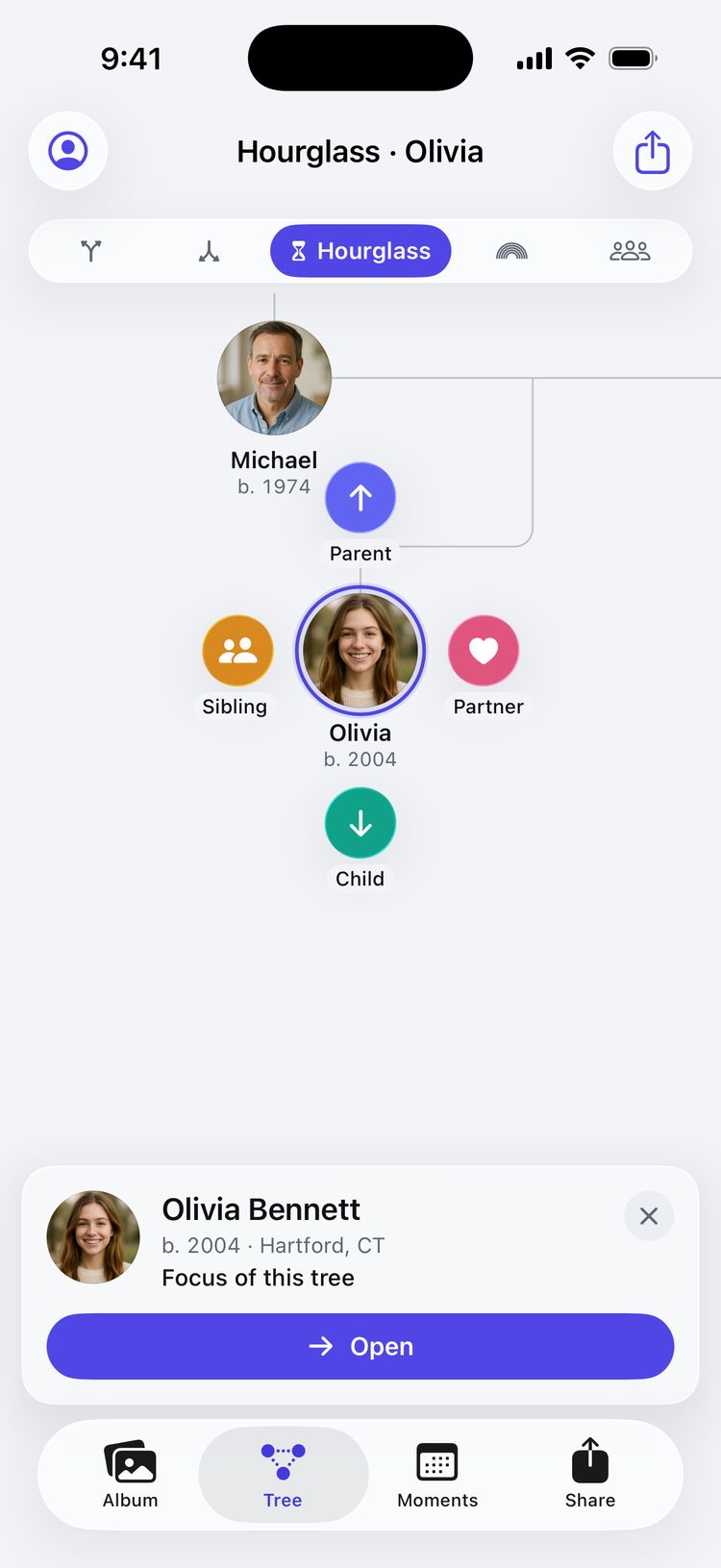
Tap a portrait and four buttons spring out around it. Choose who comes next, type a name, and they’re in the tree.
Parent abovePartner rightChild belowSibling left
For iPhone, iPad and Mac
Start with one face. Add parents, partners and children in a tap, keep their voices and stories, and never miss a birthday again. No account, no ads, and your family stays on your device.
 Coming soon to theApp Store
Free for one family of up to 100 people. See the plans
Album
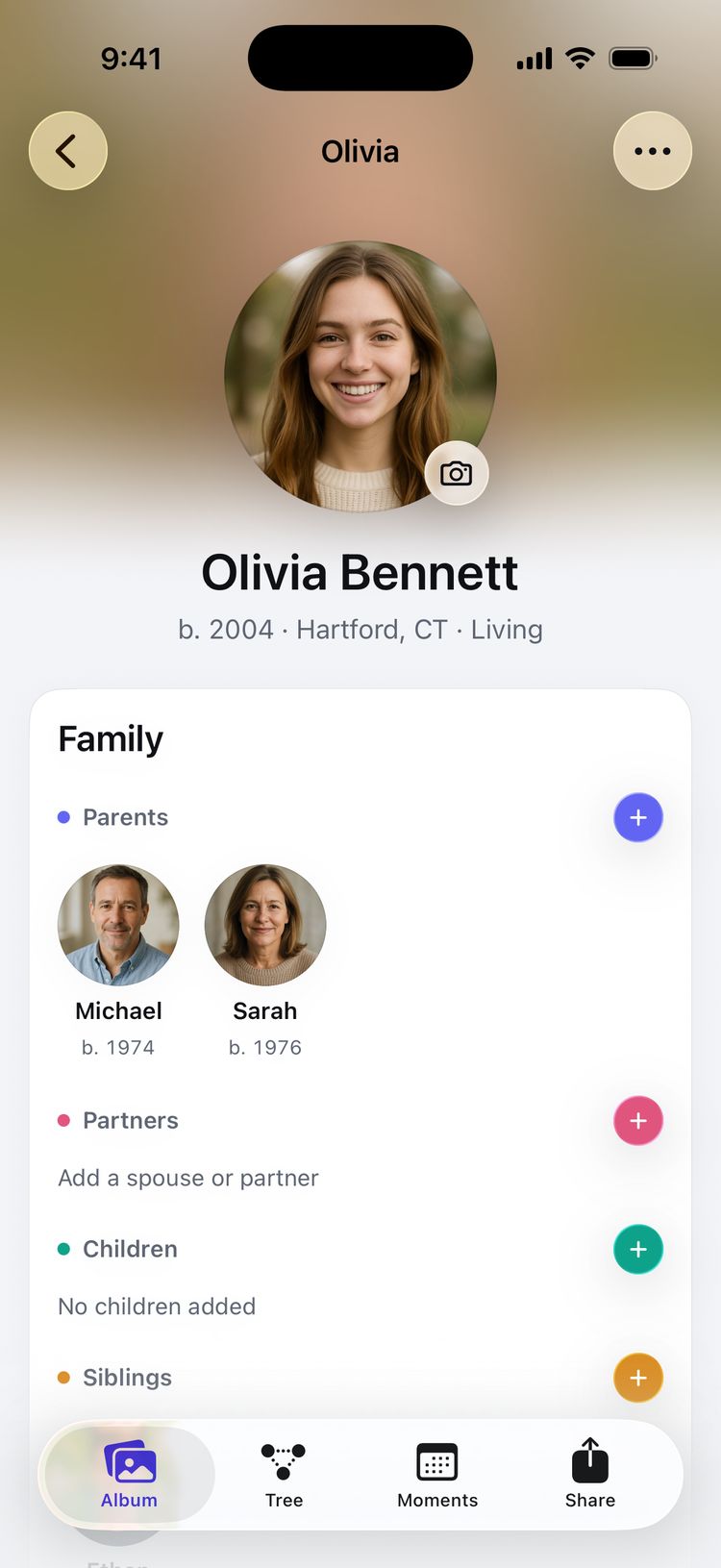
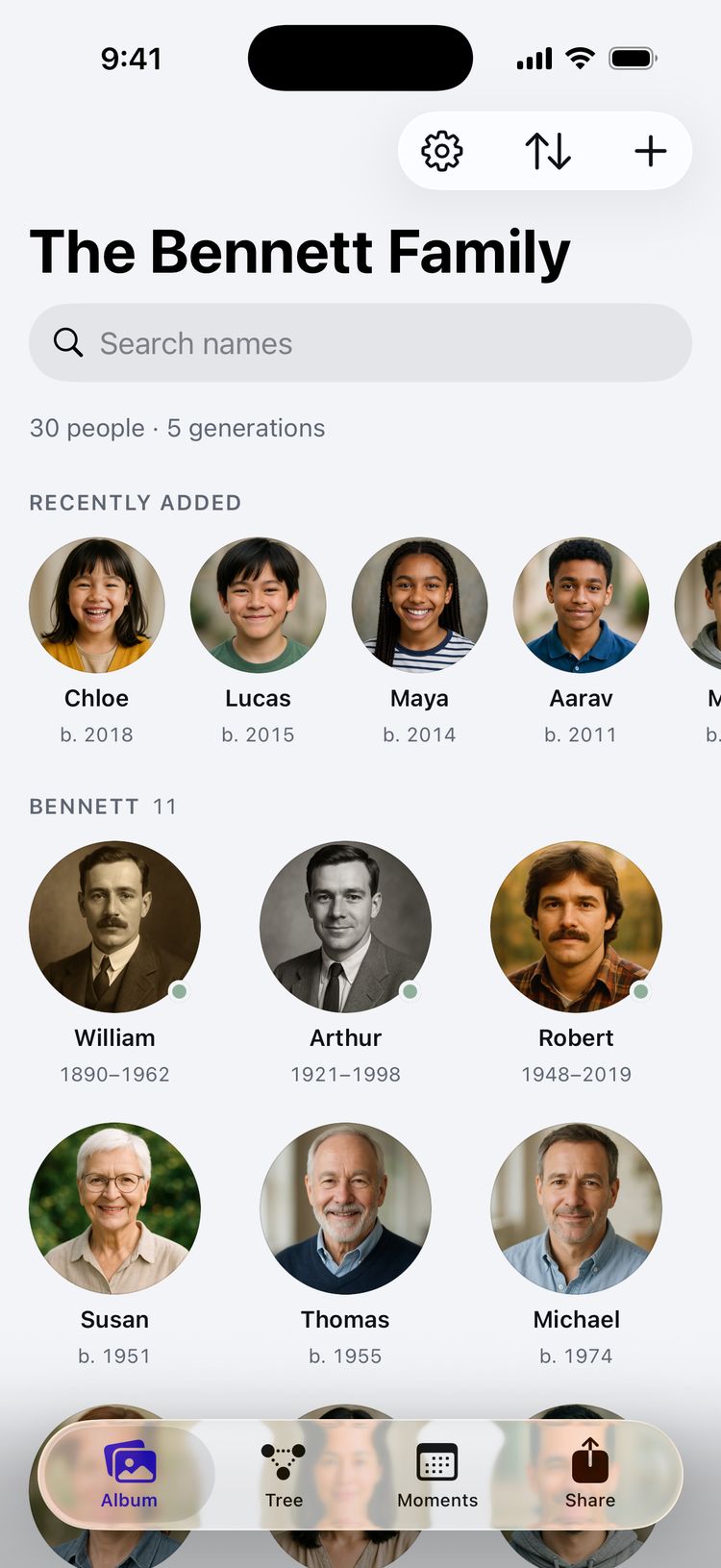
Your family as a wall of round portraits, like People in Photos. Search any name, sort by birth year or by who was added last, and open anyone to see their photos, dates, places and stories.
Tree
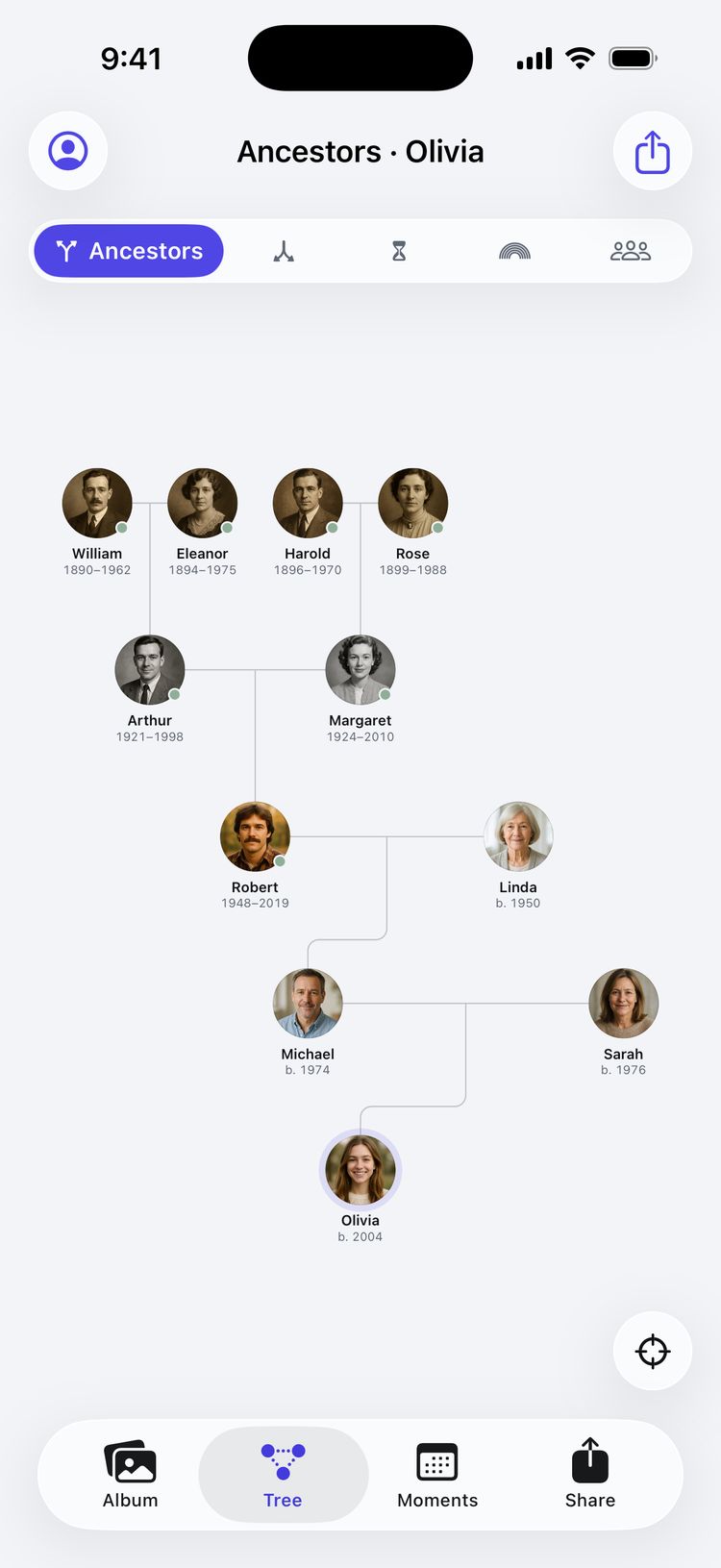
Pinch and pan through generations on a calm canvas of faces. Double-tap anyone to bring them to the center, and the whole family rearranges around them.
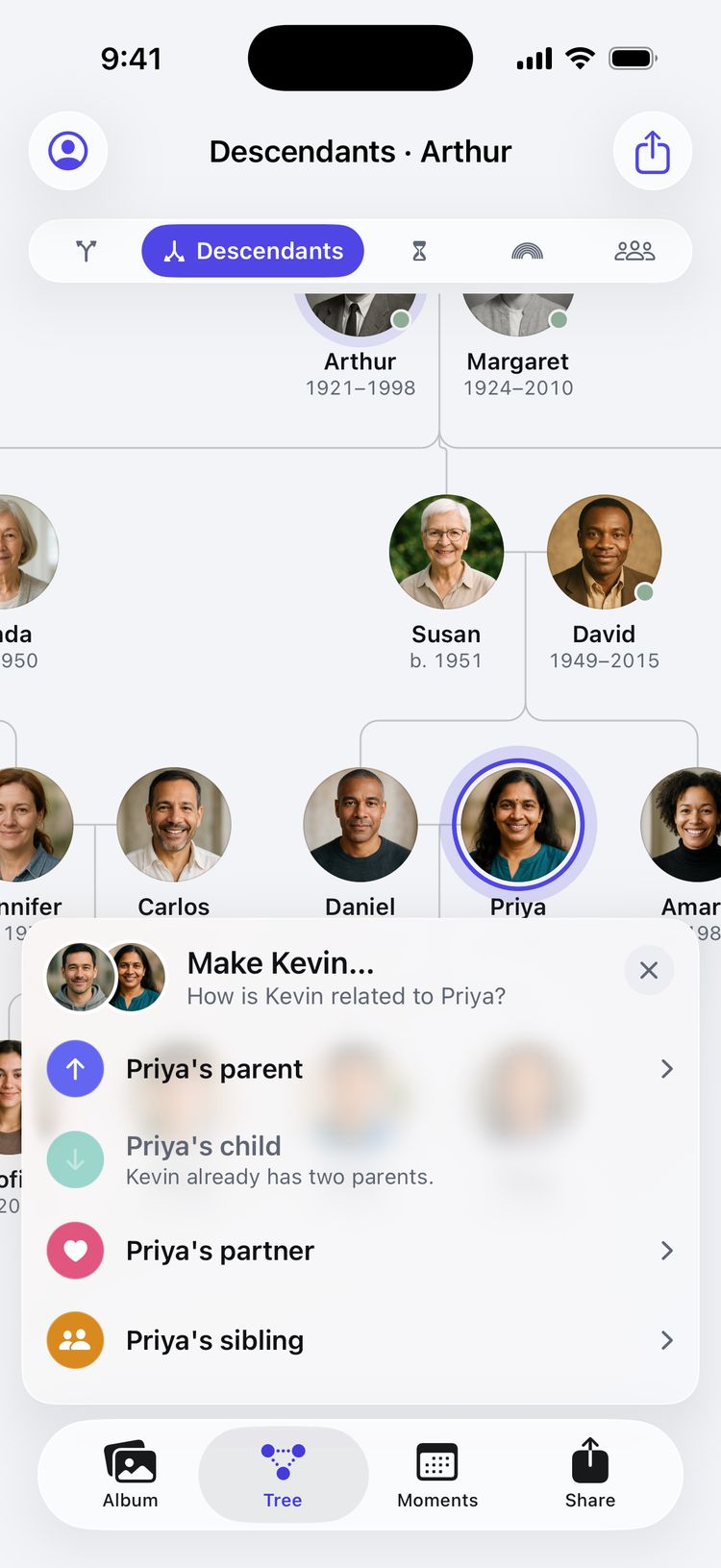
Tap a portrait and four buttons spring out around it. Choose who comes next, type a name, and they’re in the tree.
Already added someone? Touch and hold their portrait, drop it on a relative, and choose how they’re related. Anything that can’t be true is ruled out for you.
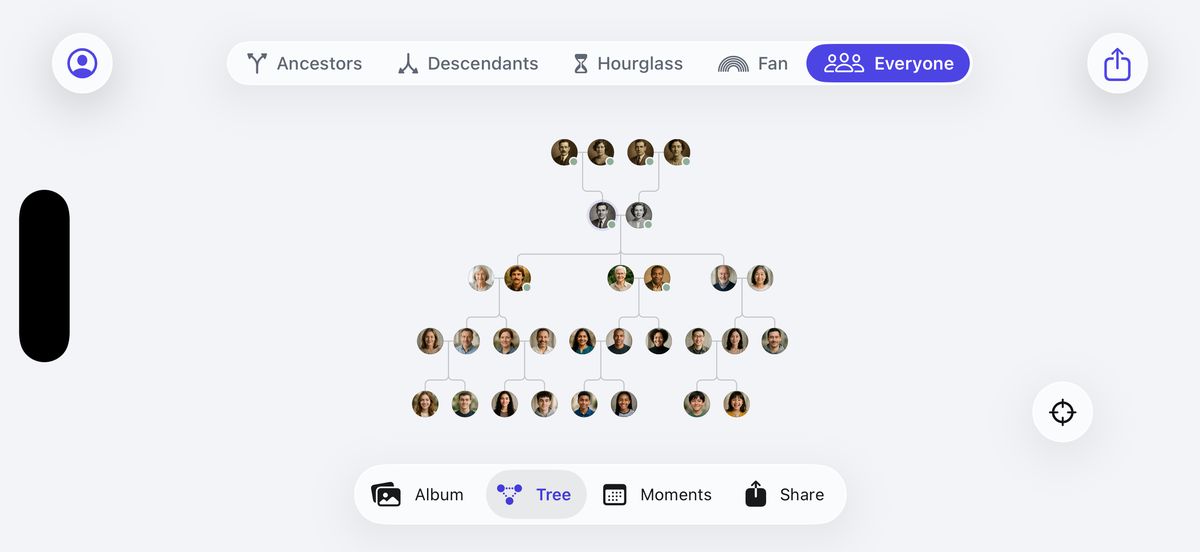
The Everyone view lays out the whole family on one canvas, generation by generation, from the oldest photographs to the newest arrivals.
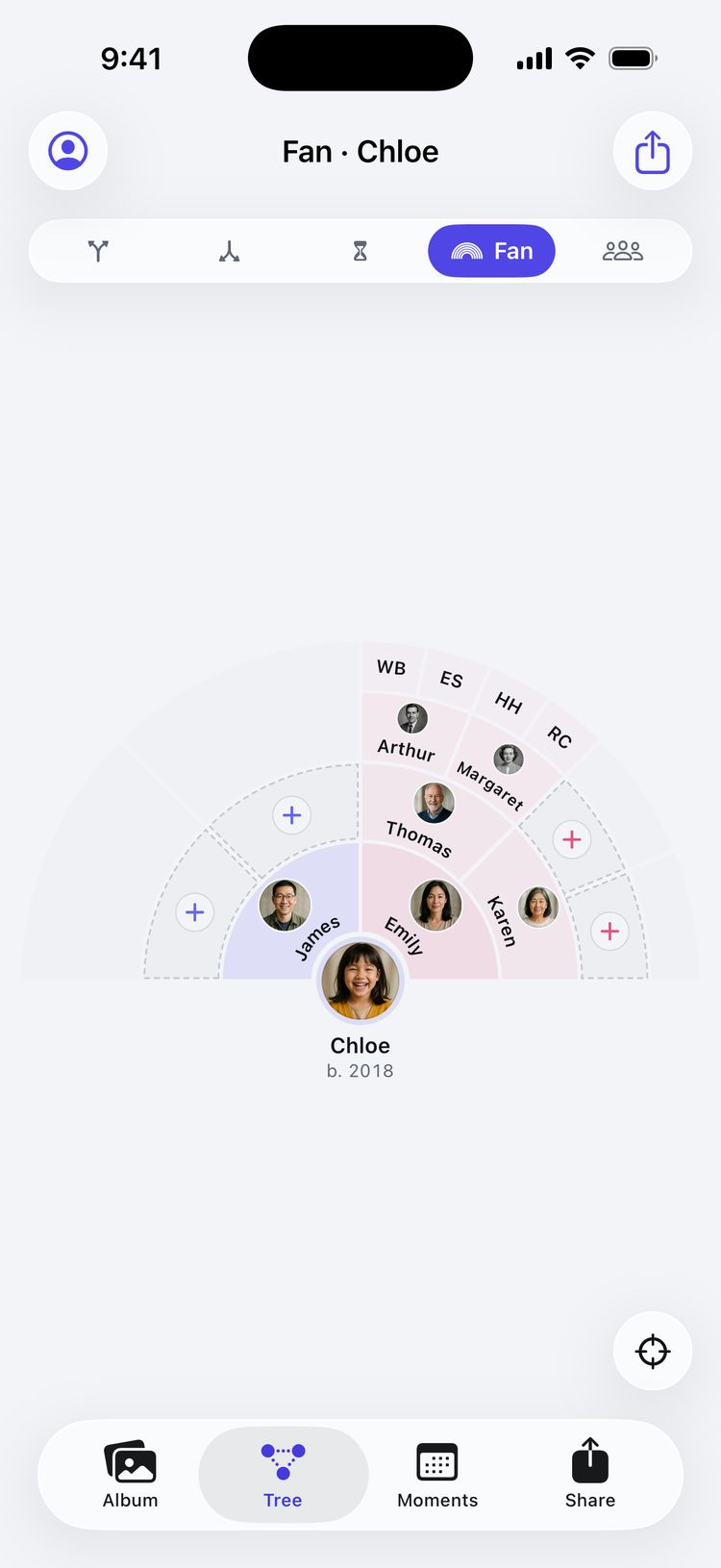
Five generations in a half circle: the father’s side on the left, the mother’s on the right, with a + wherever someone is missing.
iPad and Mac
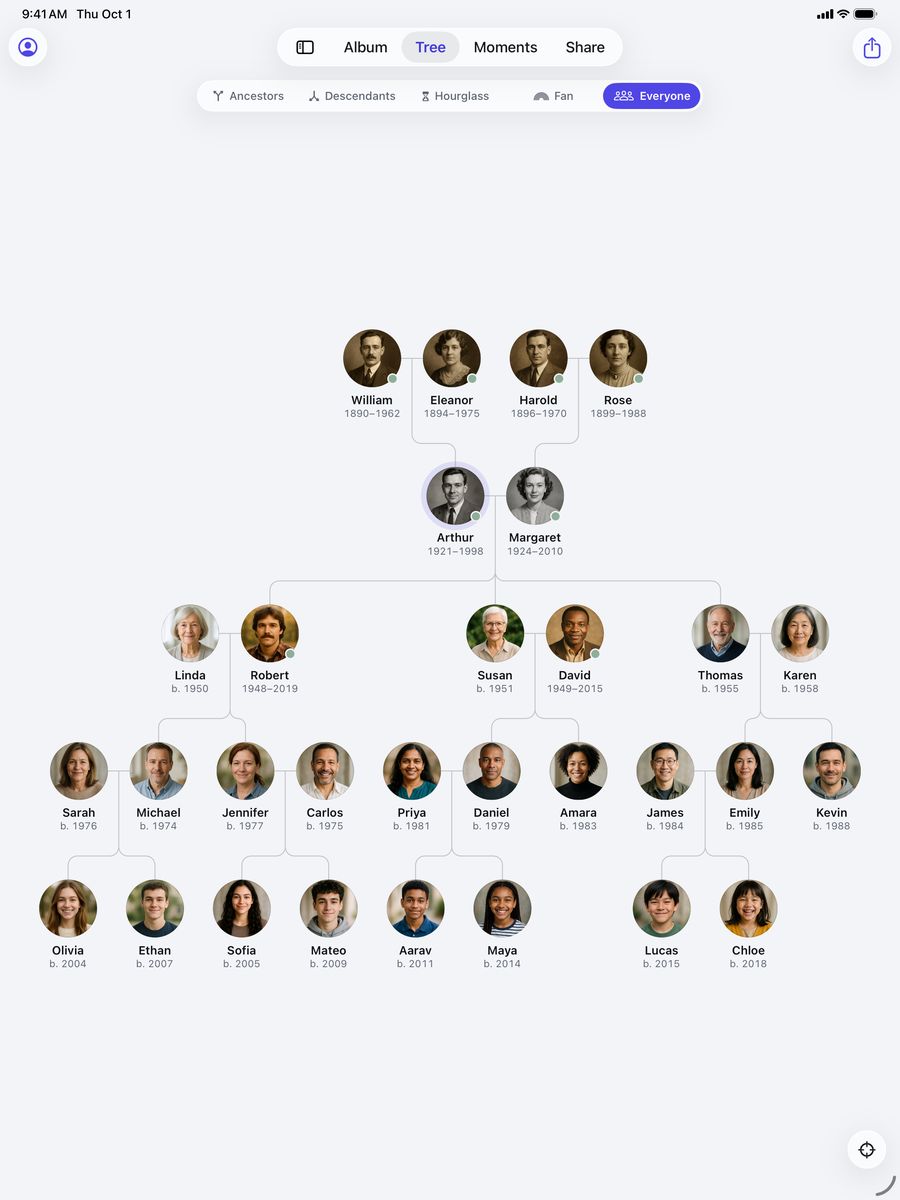
On iPad, five generations fit on one screen, names and years included. On iPad and Mac, a sidebar, menus, a pointer and keyboard shortcuts make light work of a big family.
Every kind of family
Stepparents and stepchildren, adoption and fostering, second marriages and single parents. Record each relationship as it really is, and Family Trees names every connection correctly.
Any number of partners, each with a status, a wedding date and a place.
Every parent link says what it is: biological, adoptive, step or foster.
Kinship knows a half-brother from a stepsister, and says so in plain words.
Leave the other parent out and nothing looks missing. Add them later if you learn more.
Photos
Tag the people in a group photo once, and it appears on each of their pages. Faces are found on your iPhone, so nothing is uploaded to be recognized.

Memories
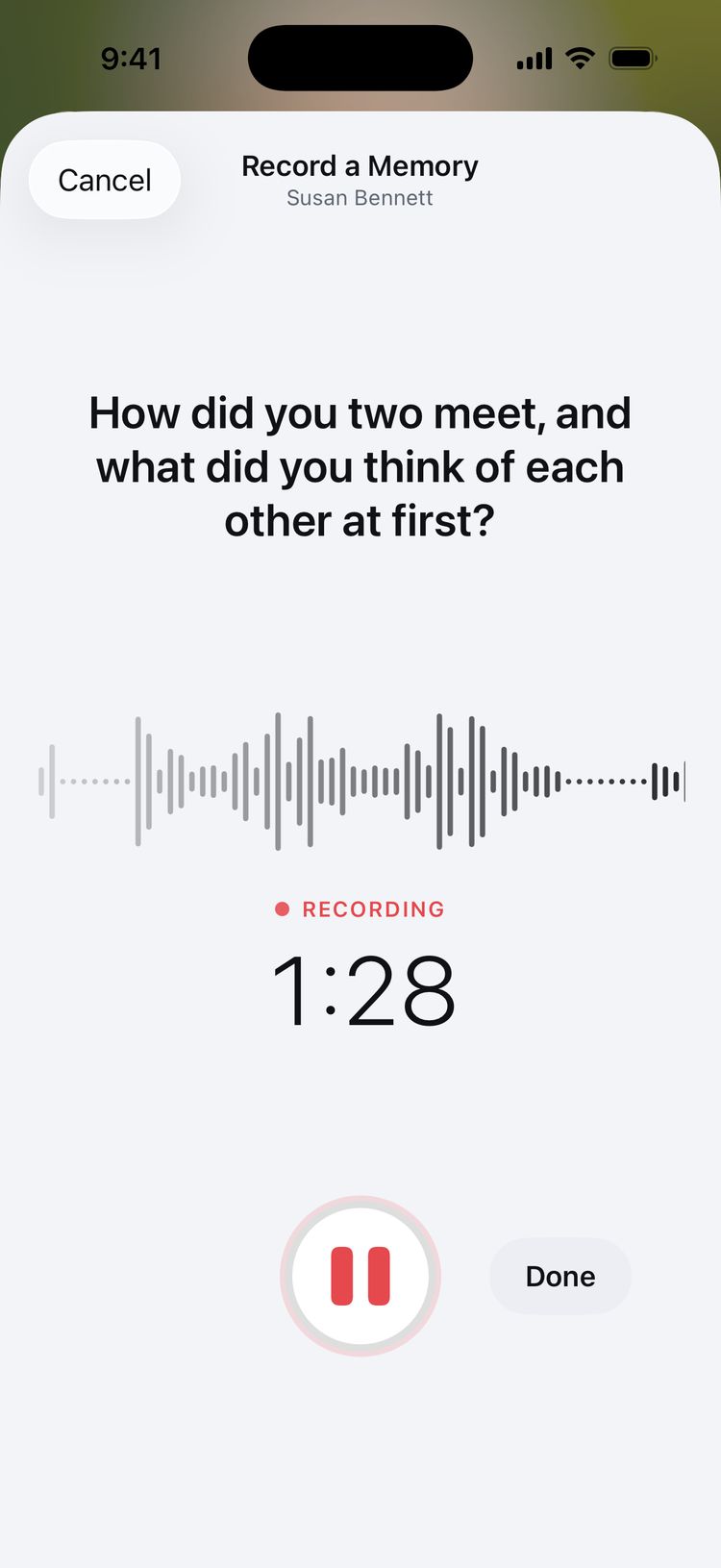
Record a grandparent telling the story of how they met, in their own words. Interview prompts help you ask the questions you would otherwise forget.
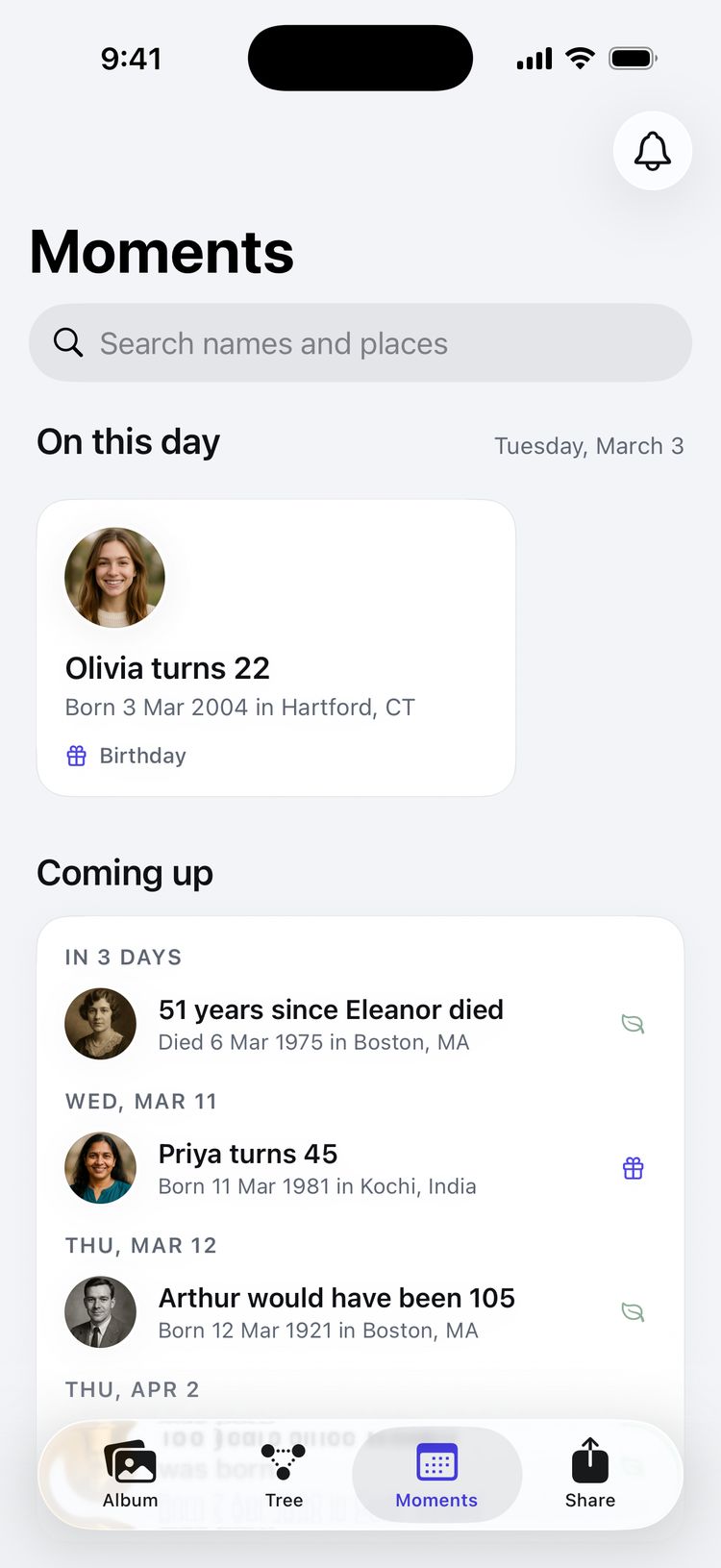
Moments
On This Day gathers today’s birthdays, anniversaries and remembrances, with the milestones called out. The timeline tells your family’s story, decade by decade.
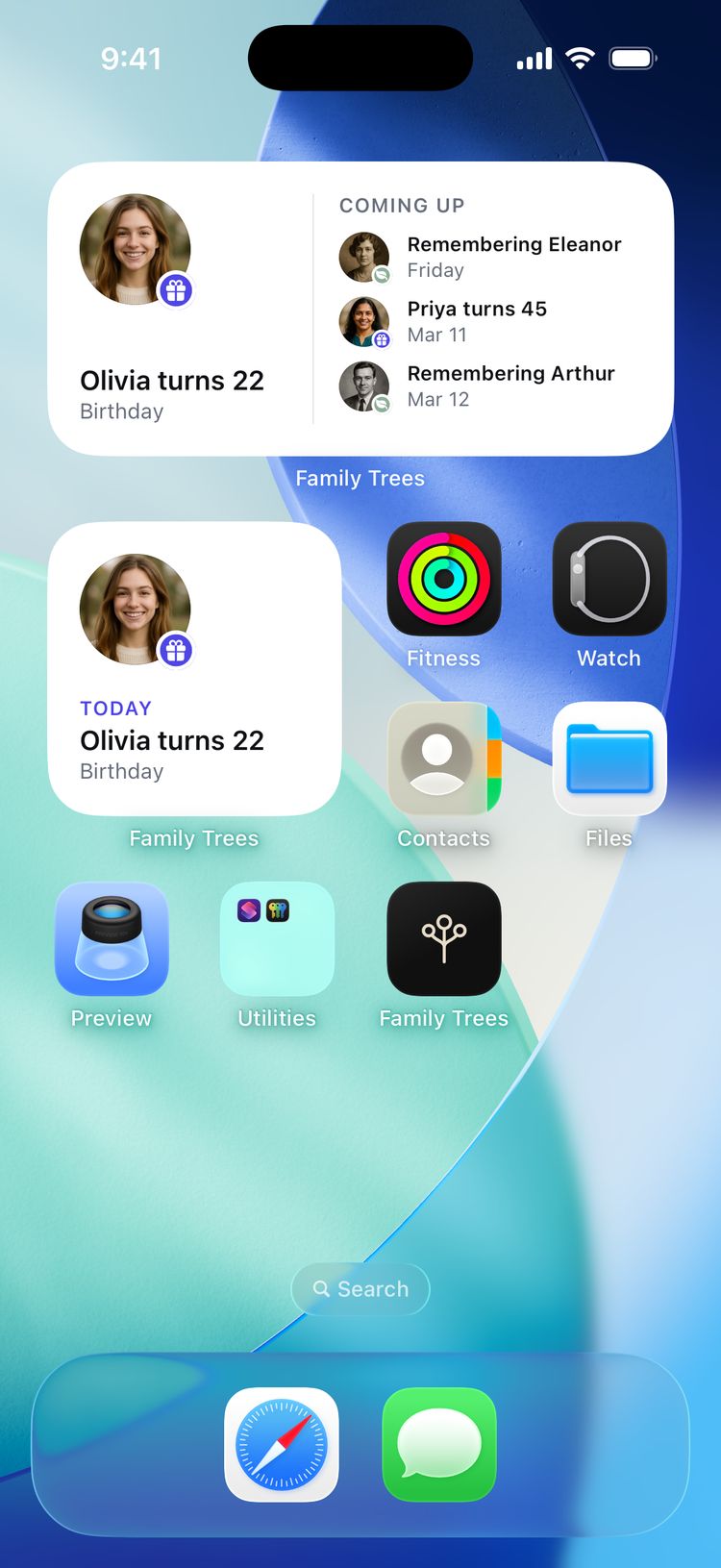
Widgets and Siri
Widgets for the Home Screen, Lock Screen and StandBy show whose birthday it is and who you’re remembering. Ask Siri, build a shortcut, or find anyone from Spotlight.
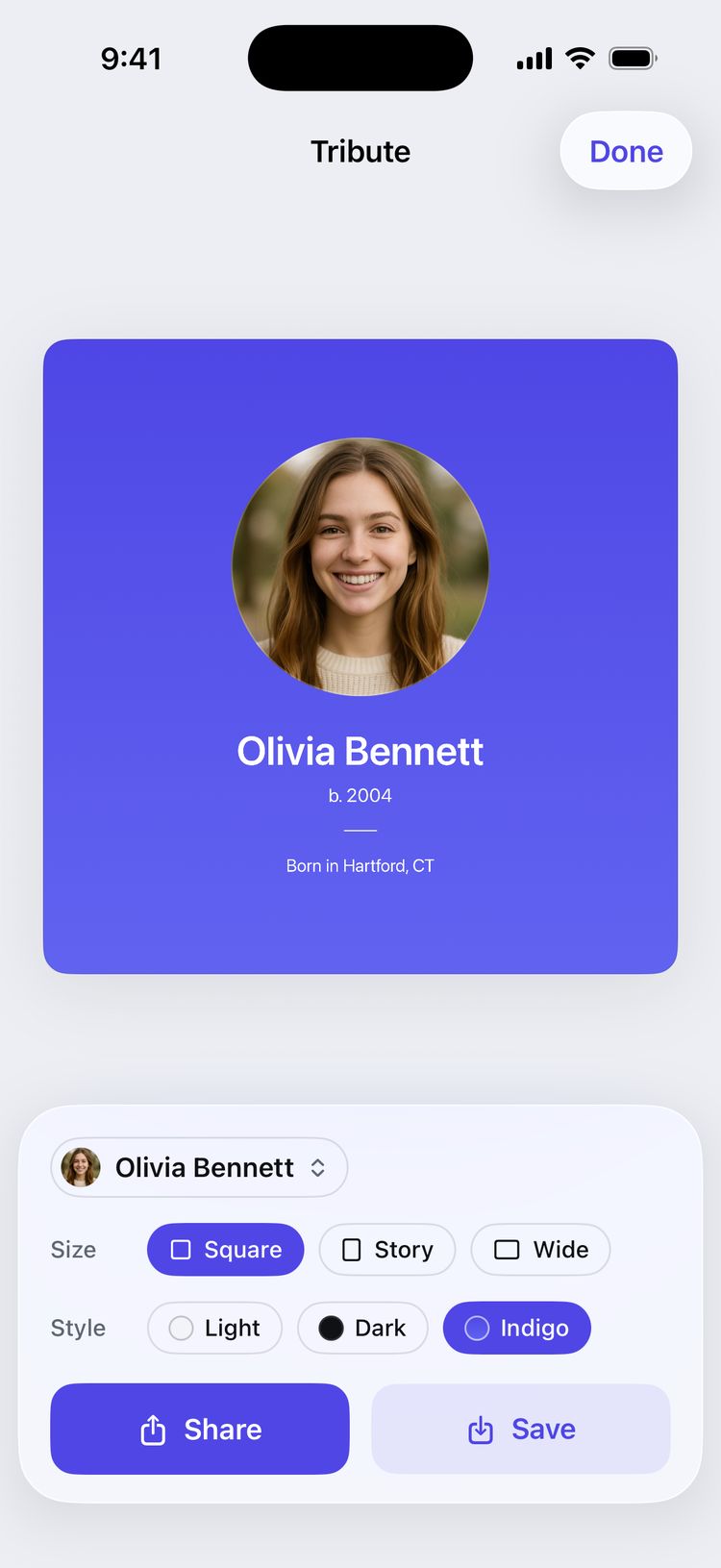
Share and print
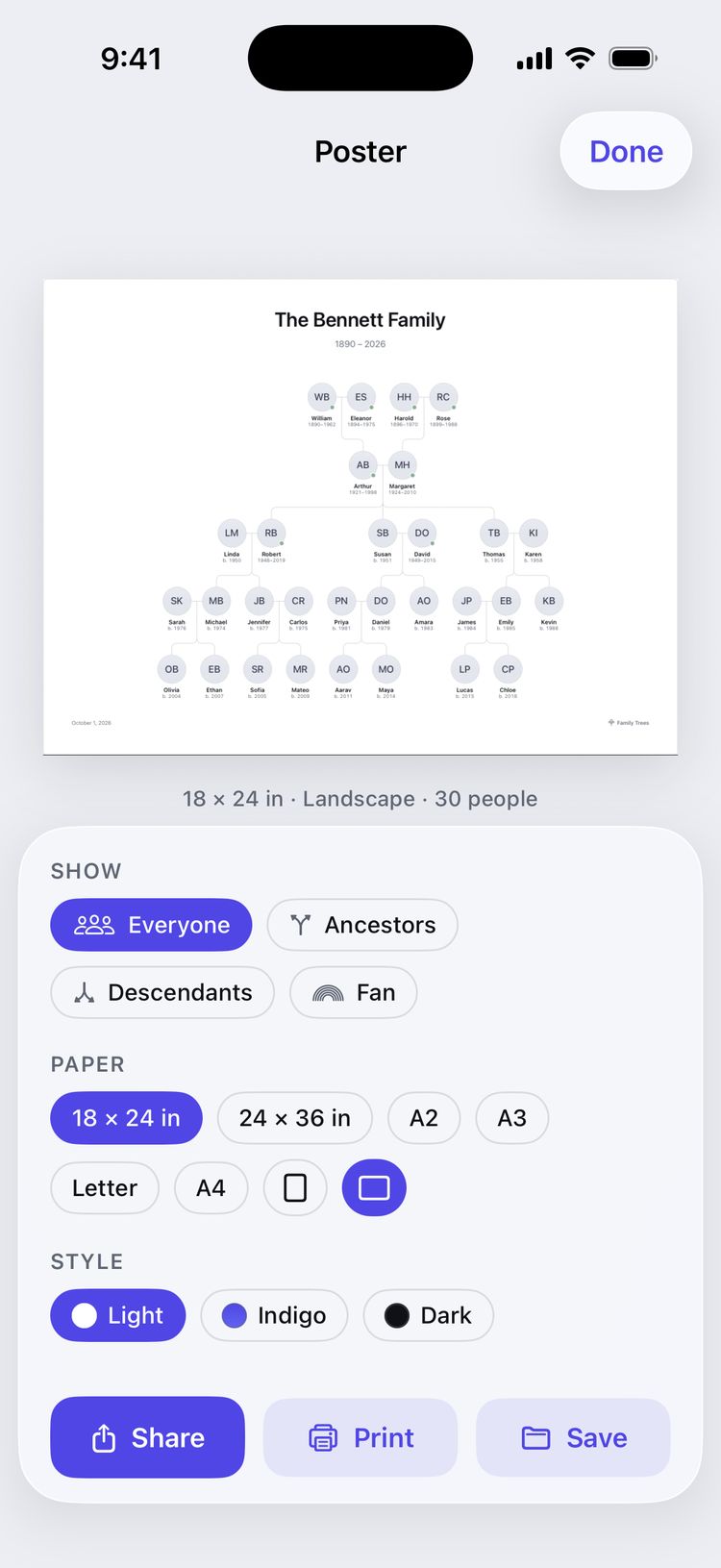
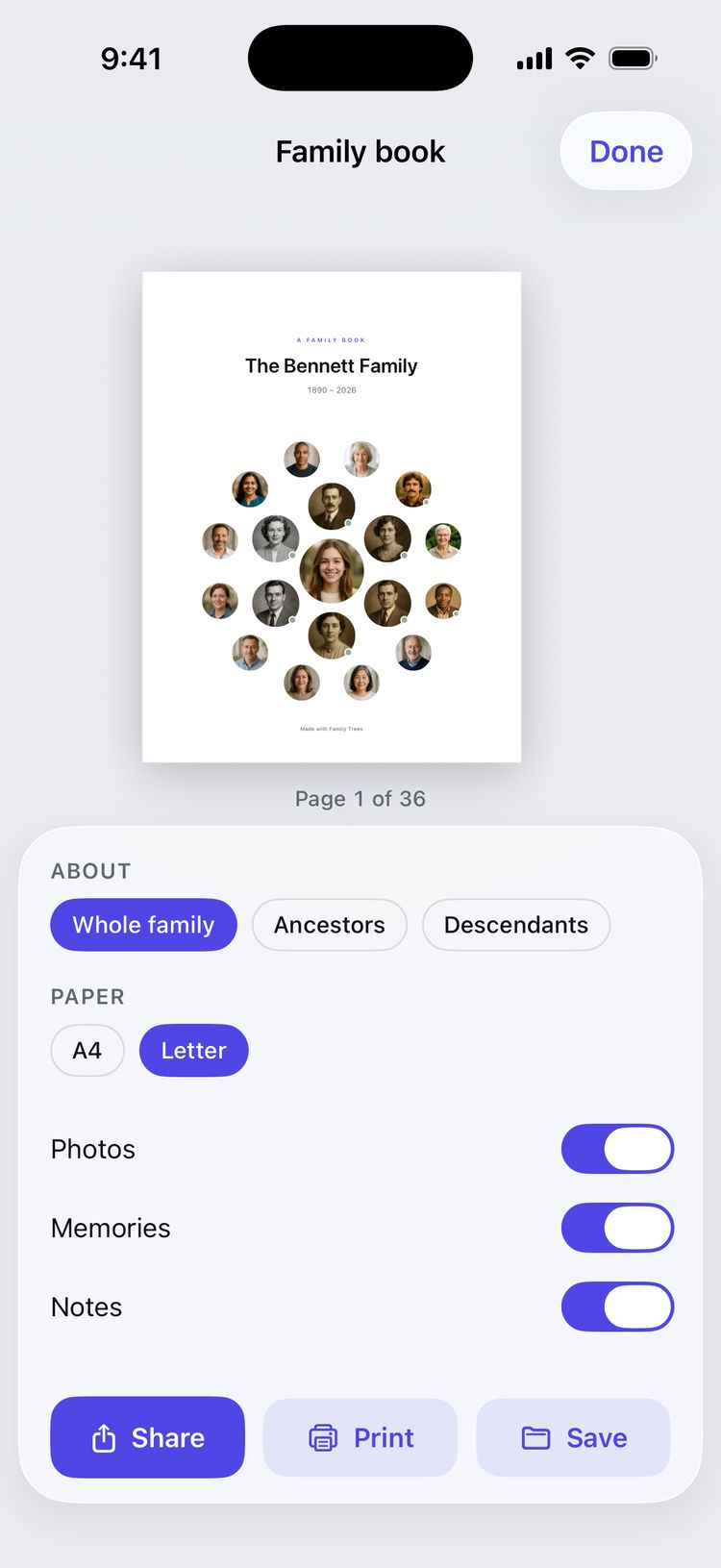
Cards for the family chat, a poster for the hallway and a book for the grandparents, all drawn on your device.
Tribute, family, milestone, kinship and mini tree cards. Square, story or wide, in light, dark or indigo.
Your tree at 18 × 24 or 24 × 36 inches, A2 or A3, sharp enough to frame.
A page for everyone, with portraits, dates and stories, as a PDF to print and give.
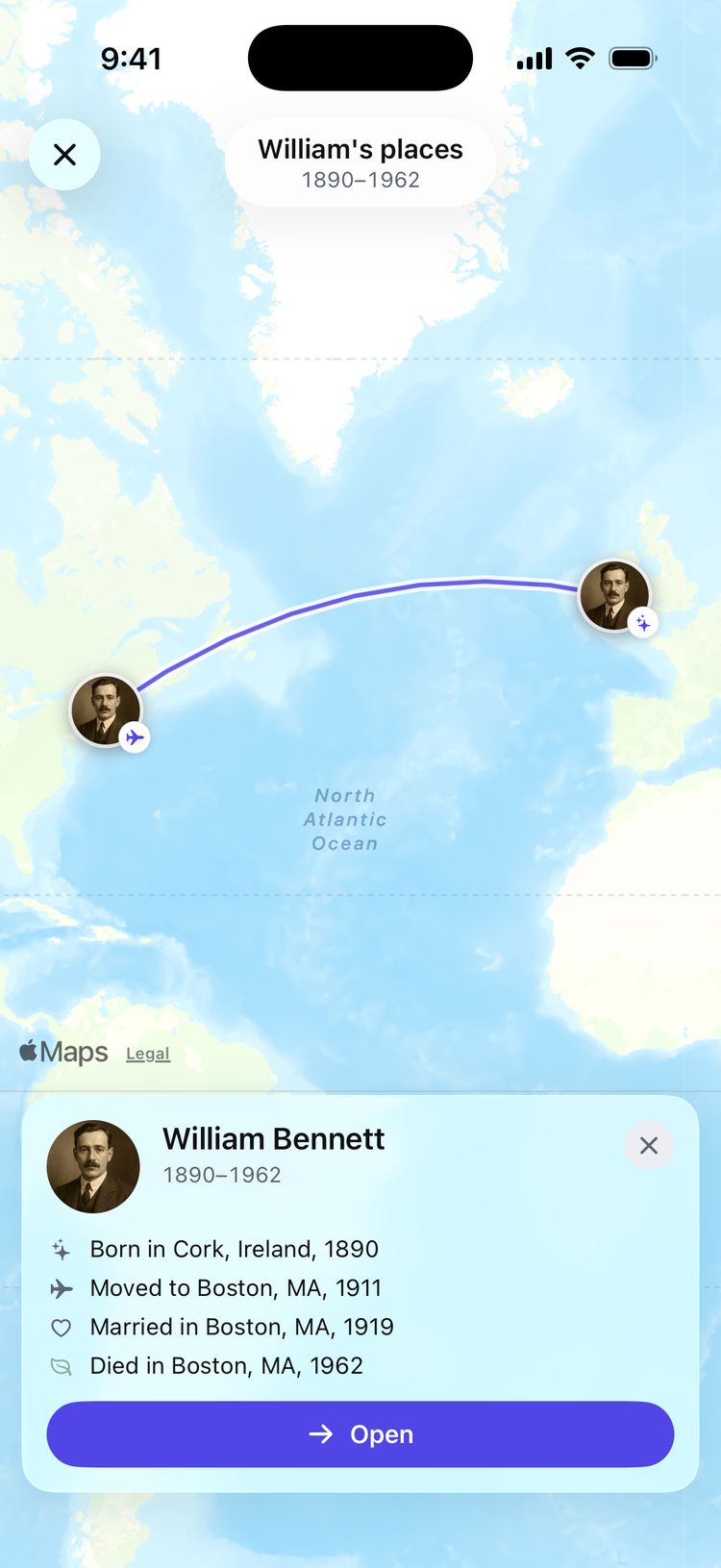
Family map
Every birthplace and home on one map, from Cork and Galway to Boston and San Juan. Only place names are sent to Apple Maps to find them; your family’s names and dates stay on your device.
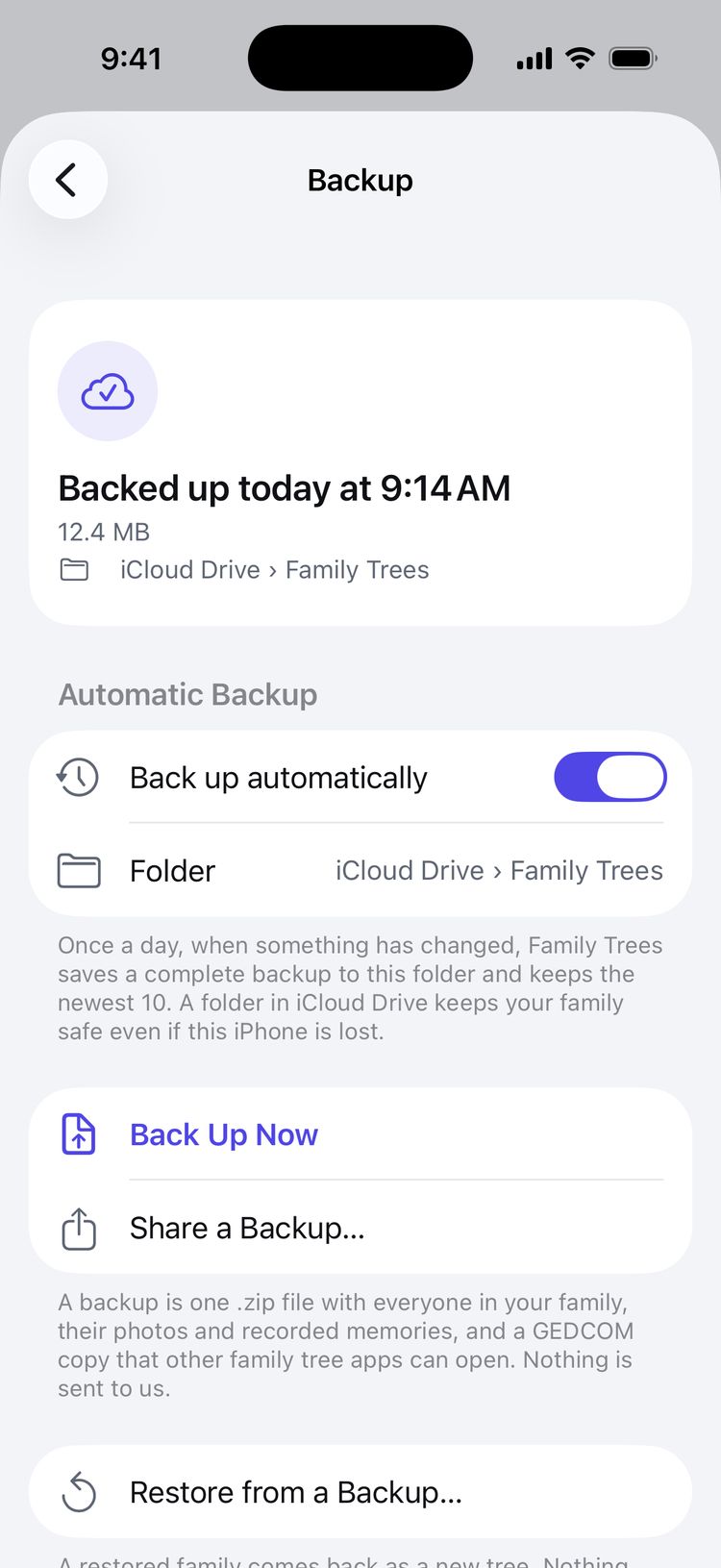
Your data
Bring a GEDCOM file from Ancestry, FamilySearch or MyHeritage, and export one whenever you like. Automatic backups go to a folder you choose, and the duplicate finder tidies up after an import.
The details
Every change is one step back: a deleted person, a new link, a photo. Tap Undo, shake, or press ⌘Z.
A year, a month, or the exact day, marked approximate when you’re not quite sure.
First cousin once removed, great-grandmother, sister-in-law: the app works it out.
English, Deutsch, Français, Español and Nederlands.
Follows your device, or choose Light or Dark under Appearance in Settings.
Text grows with your chosen text size, up to twice as large. VoiceOver, Voice Control, Bold Text and Reduce Motion are all supported.
Private by design
No account, no server, no tracking. Names, dates, photos and voices stay on your device and in backups you control. We never see them, and nothing is ever sold.
Faces in photos and words in recordings are processed on your iPhone, never on a server.
The system photo picker shares just the photos you choose. The rest of your library stays private.
Automatic backups go only to the folder you choose, such as iCloud Drive.
Pricing
The same app on every plan, with no ads. Plus starts with a 7-day free trial.
$0forever
Everything you need for a family of up to 100 people.
$39.99a year
After a 7-day free trial. Cancel any time in your Apple Account settings.
$129once
Everything in Plus, paid for once.
Today
Everything in Plus unlocks right away. Nothing is charged today.
Before it ends
Family Trees can remind you two days before the 7 days are up.
Day 7
Cancel at least a day before the trial ends and you pay nothing.
After
Charged when the trial ends, then yearly until you cancel.
Prices in US dollars; the App Store shows your local price. If Plus ends, nothing is deleted: your family stays on your device, ready to view and edit. How plans work
Questions
No. There is nothing to sign up for and nothing to sign in to. Open the app and start with yourself.
On your iPhone, iPad or Mac, in the app’s own storage. It is also included in your device backup, and in automatic backups if you turn them on and choose a folder, such as iCloud Drive. Nothing is sent to us.
Yes. Export a GEDCOM file there, then open it in Family Trees. Importing is part of Plus, and the free trial includes it. Exporting a GEDCOM file is free on every plan, so you can always take your family with you.
If you keep Plus, $39.99 is charged when the 7 days are up, and then once a year until you cancel. If you cancel at least 24 hours before the trial ends, you pay nothing. Family Trees can remind you two days before it ends.
Nothing is deleted. Your whole family stays on your device, and you can keep viewing and editing it. Adding people past 100, new trees, GEDCOM import and the other Plus features wait until you subscribe again. GEDCOM export stays free.
Not together, live. Each device keeps its own family. You can send a relative a GEDCOM file of your tree, and they can import it into their own copy of Family Trees.
Yes. Family Trees runs on iPhone, iPad and Mac, with keyboard shortcuts and pointer support on iPad and Mac. One purchase covers your devices on the same Apple Account.
English, German, French, Spanish and Dutch.
No. Family Trees is made only for Apple devices.
Something else? Write to support@familytreesapp.com, or browse the guides.
Everyone you come from, in one calm place that belongs to you.
Coming soon to theApp Store