Moments and reminders
Moments turns the dates in your tree into a calendar of the people who matter: birthdays, anniversaries and remembrances, with the milestones called out.
Steps
Open Moments
The Moments tab opens on On this day: today’s birthdays, anniversaries and remembrances. Below it, Coming up lists the next 30 days. Tap anyone to open their page.
Browse the timeline
Scroll down to the Timeline, your family’s story by decade, newest first. Filter it with All, Births, Marriages, Deaths or Other.
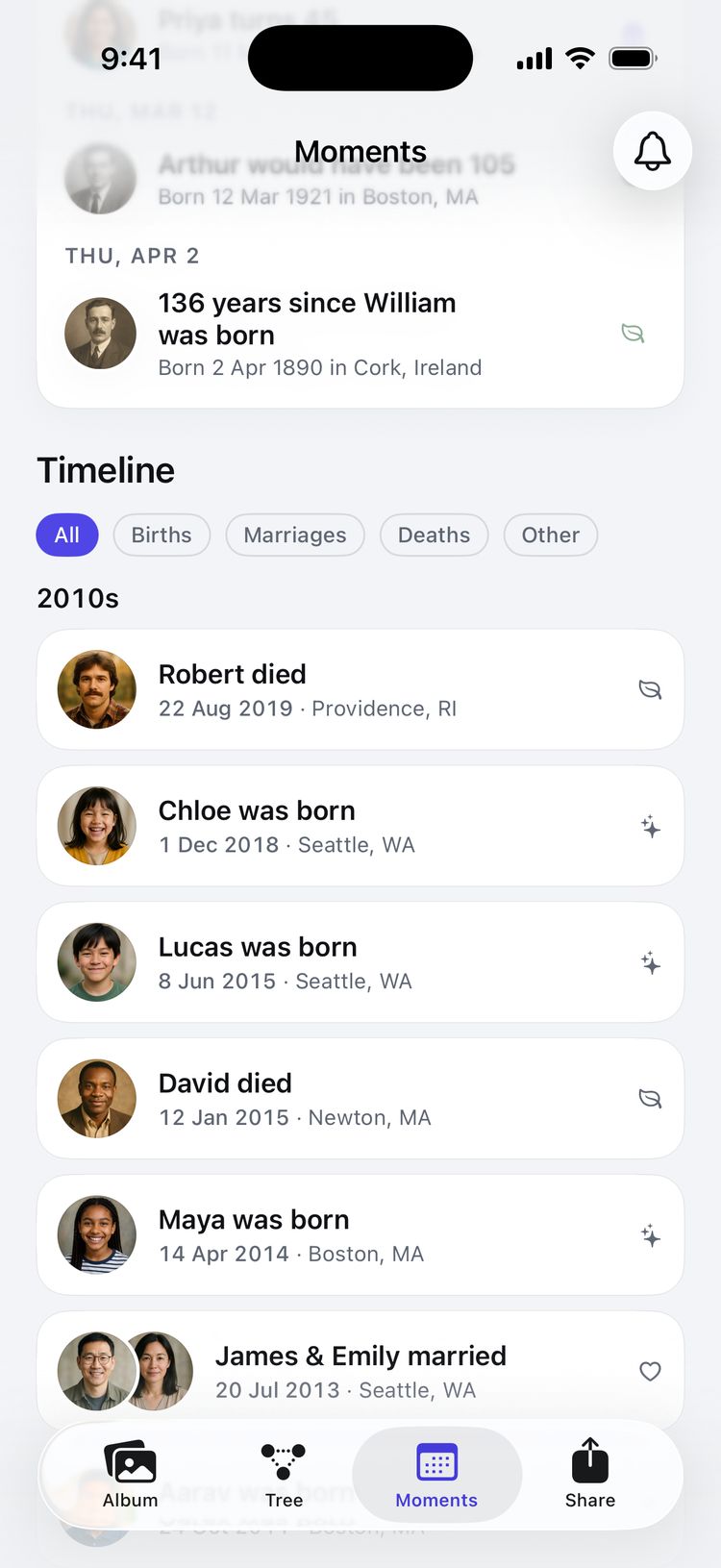
The timeline, filtered by kind of event. Turn on a daily reminder
Tap the bell at the top of Moments, turn on Remind me each morning and choose a Time (9:00 unless you change it). Allow notifications when iOS asks. You’ll find the same switch in Settings too: under Reminders, tap Daily reminder.
Know what to expect
On days when someone has a birthday, anniversary or remembrance, you get one notification, such as On this day in your family: Olivia turns 22 and 2 more. On quiet days, nothing at all.
Tips
- A date needs a month and a day to appear in Moments. A year on its own is kept, but can’t be celebrated.
- Anniversaries appear for couples who are both living and not divorced. Remembrances count the years since someone died.
- Milestones are called out: first, 18th and 21st birthdays, every tenth birthday, and every tenth anniversary or remembrance.
- If notifications are off for Family Trees, the reminder sheet shows an Open Settings link to turn them on.
- Search names and places with the search field at the top of Moments.
Still stuck? Email support@familytreesapp.com and a person will reply.