Family tree template for kids
Short answerThis family tree template for kids has big circles to draw faces or glue photos in, with simple labels: grandparents at the top, Mom and Dad in the middle, and me with brothers and sisters at the bottom. It suits ages 5 to 10 and most school family tree projects. Change any label to fit your family.
The template
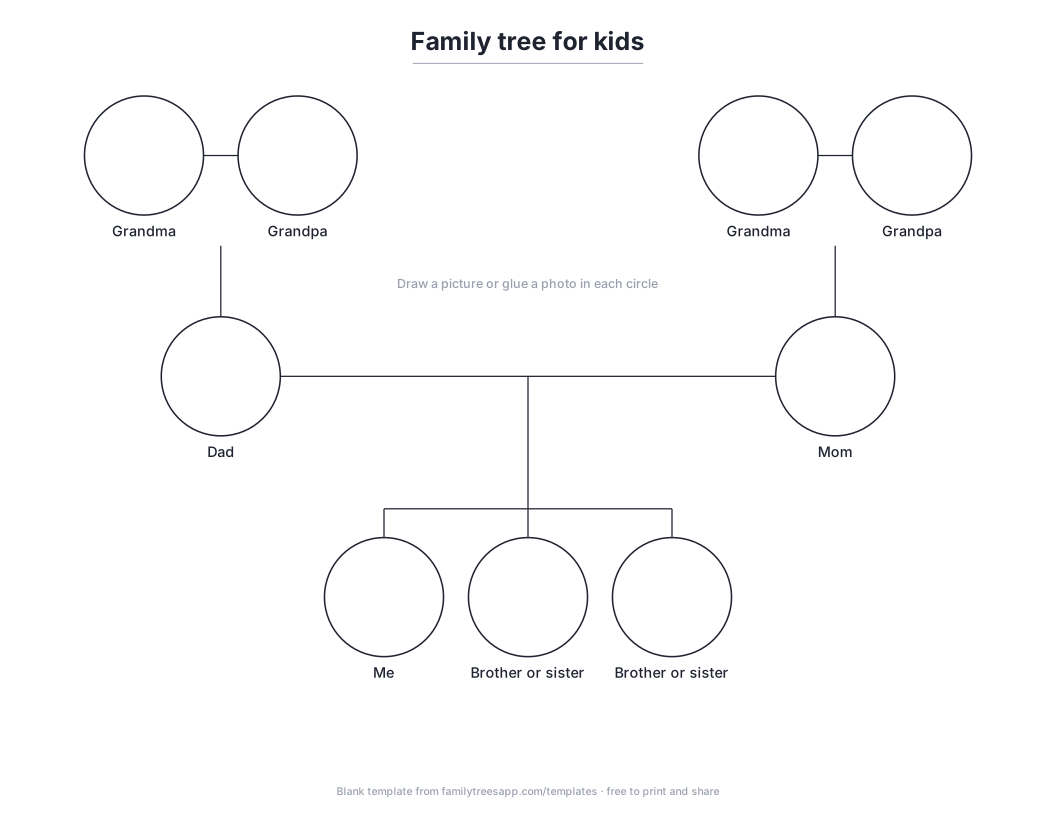
Open the file in your browser and print it (choose landscape and “fit to page”), or open it in any app that reads SVG to type into it. Free to print, copy and share.
How to fill it in
- Draw or glue a picture of yourself in the Me circle.
- Add brothers and sisters beside you, or cross out circles you don’t need.
- Parents go in the middle row, grandparents on top.
- Write names under each circle. Change “Mom” and “Dad” to whatever your family says.
Who it suits
Kindergarten and elementary school projects, and a first family history chat with grandparents.
Make it online instead
Paper fills up and can’t be shared with cousins. In Family Trees, add each person once with a photo and the Album and Ancestors view draws this chart for you, with round portraits, and keeps it up to date as relatives fill in their branches. Switch to any of the five views at any time. Free for up to 100 people; posters of any view, from Letter size up to 36 × 24 inches, come with Plus.
Questions
How many people fit on a family tree for kids?
This template has 9 boxes across 3 generations.
Is the template free?
Yes. Download it, print as many copies as you like and share it.
Can I fill it in on a computer?
Open the SVG file in a drawing or design app that reads SVG, or build the same chart in the Family Trees web app, which draws it from your family automatically.